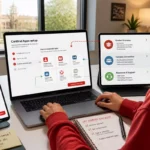

I have been watching the rapid development of AI-assisted design tools with particular interest because the biggest change is no longer simply the ability to generate an image or write a piece of code. The more significant shift is happening at the intersection of design, coding, prototyping, and AI agents. Open CoDesign represents an interesting example of that shift because it attempts to bring these activities together inside an open-source desktop application.
In my analysis, Open CoDesign is best understood as an AI-native design workspace rather than just another prompt-to-image generator. The project is designed to turn natural-language instructions into artifacts such as HTML prototypes, React components, slide decks, PDFs, marketing materials, and other design-oriented outputs. It is positioned as an open-source alternative to several commercial AI design and application-building tools.
What makes the project particularly interesting to me is its emphasis on local-first operation and model flexibility. Instead of requiring users to work inside one hosted ecosystem, Open CoDesign allows them to bring their own model provider, use compatible endpoints, or work with local models such as those available through Ollama. The application itself is MIT licensed, which also makes its development model substantially different from proprietary design platforms.
I believe that distinction matters because AI design is increasingly becoming a question of control. Designers and developers are not only asking whether an AI tool can create something attractive. They are also asking where their prompts go, which model processes their work, whether they can inspect generated files, how much they pay, and whether they can adapt the software itself.
Open CoDesign does not solve every problem associated with AI-generated design, and I would not treat it as a replacement for every established design workflow. However, based on the available evidence, it provides a compelling example of where open-source, local-first, multi-model design software could be heading.
Key Takeaways
- I see Open CoDesign primarily as a local-first AI design and prototyping workspace rather than a conventional graphics editor.
- The application can transform natural-language prompts into prototypes, React components, presentations, PDFs, marketing assets, and other artifacts.
- It supports multiple AI providers and local model configurations instead of forcing users into a single model ecosystem.
- The project is MIT licensed and open source, giving developers the ability to inspect, modify, and redistribute the application within the license terms.
- Its local-first approach keeps designs, prompts, settings, and generated workspace files on the user’s machine by default, while model requests still depend on the provider selected by the user.
- I believe its strongest use cases are rapid prototyping, design exploration, AI-assisted front-end development, presentation creation, and experimentation with multiple models.
- Users should still review generated code, visual hierarchy, accessibility, security, and factual content rather than assuming that AI-generated output is production-ready.
What Is Open CoDesign?
Open CoDesign is an open-source desktop AI design tool created by the OpenCoworkAI project. Its basic concept is straightforward: a user describes what they want in natural language, and the application uses an AI model to transform that instruction into a visual or structured artifact.
The project’s official documentation describes it as an open-source alternative to tools including Claude Design, v0, Bolt.new, and Lovable. It is designed to run as a desktop application and can work with different model providers rather than depending on a single proprietary AI backend.
I think the word “desktop” is important here. Many AI design tools are primarily browser-based services. Open CoDesign takes a different approach by placing the workspace on the user’s computer. Its documentation states that designs, prompts, and settings remain on disk by default, while generated sources are stored in real workspace files.
The project’s philosophy can be summarized by one of its own short descriptions:
“Your prompts. Your model. Your laptop.”
OpenCoworkAI Contributors, Open CoDesign project
I interpret this statement as more than a marketing slogan. It reflects three important principles: the user supplies the instructions, the user can choose the model, and the user’s computer acts as the primary working environment.
That combination is particularly relevant for people who dislike being locked into a single AI provider. A designer may prefer one model for visual reasoning, another for coding, and a local model for sensitive or offline experimentation. Open CoDesign is designed around that flexibility.
Why Open CoDesign Takes a Different Approach to AI Design
The traditional design workflow separates ideation, visual design, prototyping, coding, and delivery into different tools. I might begin with written requirements, create wireframes in a design application, prepare a high-fidelity prototype, hand the design to a developer, and eventually receive an implementation.
AI changes that sequence because natural-language instructions can now become an interface directly.
With Open CoDesign, the prompt itself can become the starting point for a prototype. The application can generate HTML or React-based artifacts and provide a preview environment in which the user can inspect the result. The project also provides tools for making localized comments and adjustments to generated designs.
From my perspective, this creates a more conversational design process.
Instead of thinking only in terms of drawing individual components, I can think in terms of design intent. For example, I might describe a dashboard as a clean analytics interface with a left navigation area, summary cards, a line chart, filters, and a responsive mobile layout. The AI can then translate that description into a working visual starting point.
That does not mean the first result will automatically be excellent. In fact, I believe the opposite assumption is safer. The first generation should be treated as a starting point that needs evaluation and refinement.
The important change is the speed of reaching that starting point.
How Prompt-to-Design Workflows Work
A prompt-to-design workflow generally begins with a natural-language specification. The quality of the output depends heavily on the clarity of that specification, the capabilities of the selected model, and the constraints communicated to the system.
Open CoDesign’s workflow is designed around this interaction. Users can select an existing demonstration, write their own prompt, generate an artifact, inspect it in the preview, and refine specific areas. The official quickstart documentation describes inline commenting, adjustable parameters, multiple design previews, and export options as part of the workflow.
I find this approach useful because it moves design closer to iterative conversation.
Consider a hypothetical example. Suppose I want a landing page for a fictional productivity application. A weak prompt might simply say:
“Create a modern productivity landing page.”
That gives the model very little information.
A stronger prompt could specify the intended audience, visual personality, information hierarchy, primary call to action, navigation structure, responsive behavior, and required sections. The model then has more constraints from which to construct the design.
The practical lesson is that AI does not eliminate design thinking. Instead, it makes the quality of the design brief even more important.
We can think of the process as a loop:
- Define the design goal.
- Describe the required structure.
- Generate an initial artifact.
- Inspect the visual hierarchy.
- Identify specific problems.
- Comment or prompt for targeted changes.
- Test different variations.
- Export the resulting artifact.
- Review the implementation manually.
I believe this loop is more useful than treating AI as a one-click replacement for a designer.
The Role of Multiple AI Models
One of the most important features of Open CoDesign is its multi-provider architecture.
The official documentation lists support for providers and ecosystems including Anthropic Claude, OpenAI GPT models, Google Gemini, DeepSeek, OpenRouter, SiliconFlow, local Ollama models, and OpenAI-compatible endpoints. It also supports ChatGPT subscription login for compatible Codex workflows.
This matters because different models can produce different results from the same prompt.
A user might prefer one model for complex reasoning and another for code generation. Someone else might prioritize cost, speed, local execution, or access to a particular model family.
In my view, model independence is one of the project’s strongest strategic ideas.
Instead of building the entire workflow around one AI provider, Open CoDesign attempts to make the design environment independent from the model itself.
That also makes experimentation easier. If one model produces an interface with poor spacing or inconsistent component structures, the user can potentially test another model without abandoning the entire design workspace.
Local-First Design and Data Control
Privacy is another major part of the Open CoDesign proposition.
The project’s documentation states that designs, prompts, settings, and generated files remain on the user’s machine by default. API credentials are stored locally, and the documentation describes encrypted credential storage through Electron’s secure storage mechanisms.
However, I would make an important distinction here: local-first does not automatically mean that every AI interaction is offline.
If I configure Open CoDesign to use a hosted model provider, my prompt still needs to reach that provider for the model to process it. The application can also work with local model runtimes such as Ollama, in which case generation can remain local.
That distinction is important for anyone evaluating the tool for privacy-sensitive workflows.
The project itself describes its philosophy with another memorable statement:
“Your laptop is the cloud.”
OpenCoworkAI, Open CoDesign project
I interpret that phrase as a description of the application’s architecture rather than a guarantee that all AI processing is always offline. The actual privacy characteristics depend on which model endpoint the user chooses.
For example, if I use a locally hosted model, the generation workflow can remain local. If I connect a cloud-based model, the prompt necessarily interacts with that provider.
This means users should examine both the application architecture and the selected model provider before making privacy decisions.
What Open CoDesign Can Create
Open CoDesign is not limited to one type of output. According to its documentation, it can generate HTML prototypes, React components, PDFs, slide decks, marketing assets, Markdown files, ZIP packages, and other design-oriented artifacts.
That breadth makes the tool interesting because it connects design exploration with deliverables.
For instance, a hypothetical product team might start with a prompt describing a new analytics dashboard. The team could use the generated prototype to discuss layout, navigation, filters, and information hierarchy before engineering invests significant development time.
A marketing team could use a similar workflow to explore a campaign landing page.
A developer could generate an interface concept and then inspect the resulting HTML, CSS, JavaScript, or React structure.
A presenter could use the application to create a slide deck from a structured prompt.
The common theme is that the AI is being used to produce an editable artifact rather than merely returning a text response.
Comparing Open CoDesign With Conventional Design Workflows
The following comparison helps me explain where Open CoDesign fits into the broader design ecosystem.
| Workflow characteristic | Traditional workflow | Open CoDesign approach |
|---|---|---|
| Initial concept | Sketches, wireframes, written briefs | Natural-language prompt |
| First prototype | Manually assembled | AI-generated starting point |
| Model selection | Usually irrelevant | Multiple providers supported |
| Design iteration | Manual edits and revisions | Prompting, comments, and iterative generation |
| Code relationship | Often separate from design | Generated artifacts can include code |
| Local workspace | Depends on application | Desktop-first and local-first |
| Export | Depends on design tool | HTML, PDF, PPTX, ZIP, Markdown and related outputs |
| AI dependency | May not exist | Central to the workflow |
The most important takeaway is that Open CoDesign does not simply automate one traditional design action. It changes the relationship between the brief, prototype, model, and implementation.
I would therefore compare it less with a pure image editor and more with an AI-assisted design studio.
Installing and Getting Started With Open CoDesign
The current documentation describes Open CoDesign as supporting macOS, Windows, and Linux. Installation options include package managers and direct installers, while developers can also build the project from source.
The basic workflow can be understood in several stages.
Choose the Installation Method
Users can select an installer appropriate for their operating system. The documentation lists macOS Apple Silicon and Intel builds, Windows x64 and ARM64 packages, and Linux packages including AppImage and Debian-based formats.
Because software releases can change, I recommend checking the current release documentation before installing rather than relying on an old installation guide.
Configure an AI Provider
The application can use an API key, a compatible endpoint, a local model runtime, or supported subscription authentication. The official documentation explains that existing Claude Code or Codex provider configurations can also be imported.
This flexibility is useful for experienced developers who already have an AI development environment configured.
Create the First Prompt
After the provider is configured, the user can select a demonstration or write an original prompt. The application then generates an artifact inside its preview environment.
I recommend starting with a relatively specific design task rather than asking the AI to build an enormous application immediately.
Refine the Output
Once the first artifact appears, the next step should be evaluation.
Look at spacing, typography, navigation, contrast, responsiveness, component consistency, and information hierarchy.
Open CoDesign supports targeted comments and adjustable parameters that can make this refinement process more direct.
Export the Result
The project supports several export formats, including HTML, PDF, PPTX, ZIP, and Markdown.
The correct format depends on the intended next step.
If the goal is web development, source files may be more useful than a PDF. If the goal is a presentation, PPTX may be more appropriate.
Practical Applications for Designers and Developers
I believe Open CoDesign becomes most useful when we stop thinking of it as a magic design generator and instead treat it as an acceleration layer.
Rapid Interface Prototyping
A designer can describe a screen and receive a functional visual prototype without manually constructing every component.
This can be especially useful during early discussions when the goal is to compare concepts rather than finalize a production interface.
For example, imagine a hypothetical financial dashboard. Instead of spending several hours building the first rough version, a designer could generate three different navigation and content structures and use them to discuss which approach communicates information most clearly.
Front-End Exploration
Developers can also use generated artifacts to investigate possible interface structures.
A developer might ask for a responsive settings page, examine the generated component structure, and then adapt the useful portions into a larger codebase.
I would still recommend a manual review before production use. AI-generated code can contain unnecessary dependencies, inefficient structures, accessibility problems, or assumptions that do not match the project’s architecture.
Presentation Creation
Open CoDesign also supports slide-deck generation.
This creates an interesting connection between visual design and communication.
A hypothetical startup team could describe a product concept, audience, problem, solution, market argument, and roadmap. The AI could create a first presentation structure that the team then edits.
The value is not necessarily that the AI creates the final presentation without human involvement. The value may simply be that the team reaches a structured draft much faster.
Marketing Assets
The project documentation also identifies marketing assets among its supported outputs.
For marketers, this can help with early-stage exploration of landing pages, campaign concepts, visual sections, pricing layouts, and calls to action.
Again, I would treat generated marketing material as a draft requiring editorial, brand, legal, and factual review.
How Built-In Design Skills Affect Output Quality
One feature I find particularly interesting is the project’s use of design skill modules.
The repository documentation describes built-in design skills covering areas such as dashboards, landing pages, slide decks, SVG charts, typography, pricing sections, chat interfaces, data tables, calendars, and other visual patterns. It also describes a “taste layer” intended to encourage more deliberate typography, whitespace, color, and layout decisions.
This approach addresses a major problem with AI-generated interfaces: generic output.
A model may know how to produce a technically valid page while still creating something visually repetitive. The inclusion of reusable design skills is an attempt to give the generation system more structured design knowledge.
The project also describes the ability to add custom skill instructions through project files.
In my view, this is an important direction because a design system is more useful when it can be expressed as repeatable rules rather than recreated from scratch in every prompt.
Understanding Agentic Design in Open CoDesign
The project’s v0.2.0 release introduced what it calls Agentic Design, including workspace-backed sessions, permissioned local tools, a Files panel, provider diagnostics, security improvements, and DESIGN.md-based design systems.
This moves the application beyond a simple question-and-answer interface.
An agentic workflow can reason about multiple steps, inspect files, make changes, and iterate on an artifact.
I think this is one of the most important developments to watch because the future of AI design may involve agents operating inside real project environments rather than generating isolated mockups.
Imagine a hypothetical project containing an existing component library. An AI design agent could potentially inspect the available files, understand project-specific design instructions, generate a new page, and modify the relevant files while maintaining the project’s existing structure.
That is a fundamentally different workflow from asking an AI chatbot to provide a block of HTML.
Common Mistakes When Using Open CoDesign
AI design tools are powerful, but I believe users can easily misuse them.
Mistake 1: Treating the First Generation as Final
The first output should normally be treated as a draft.
A visually attractive first screen may still have weak hierarchy, poor accessibility, inconsistent spacing, or an unsuitable information architecture.
Mistake 2: Using Extremely Vague Prompts
“Make a beautiful website” is unlikely to communicate enough design intent.
A stronger prompt specifies the audience, purpose, content structure, interaction requirements, responsive behavior, visual direction, and constraints.
Mistake 3: Ignoring the Existing Design System
If a project already has typography, spacing, color, component, and interaction standards, those rules should influence AI generation.
The project’s support for design-system-oriented instructions makes this particularly relevant.
Mistake 4: Assuming Generated Code Is Production-Ready
AI-generated code still needs human review.
I would check dependencies, security, accessibility, semantic HTML, responsive behavior, performance, state management, and maintainability before using generated code in a serious production application.
Mistake 5: Confusing Local-First With Automatically Offline
This is one of the most important distinctions.
Open CoDesign can work with local model runtimes such as Ollama, but a cloud-based provider still requires communication with that provider.
Users should therefore understand their selected provider’s data practices rather than assuming that every AI request stays on the computer.
Security and Privacy Considerations
The project describes several security-oriented design decisions, including local credential storage, no proxy layer, local-first handling of design data, and security hardening across releases.
The project also states that API keys are stored in its local configuration and protected through Electron’s secure storage facilities.
These are useful architectural choices, but I believe security should always be evaluated as a continuing process rather than a single feature.
Users should keep the application updated, protect their operating-system accounts, avoid exposing API credentials, and understand which external AI providers receive prompts.
Developers who work with confidential source code should also evaluate whether their selected model provider and organization policy permit that information to be sent to an external service.
Open-source availability is valuable because it allows technically capable users to inspect the source, but open source should not be interpreted as an automatic guarantee of security.
Costs and Resource Considerations
Open CoDesign itself is described as free and MIT licensed. However, that does not mean every workflow is cost-free.
If I use a paid API provider, the provider may charge for model usage. If I use an existing subscription route, that subscription has its own terms and costs.
“The app itself is free to download, use, modify, and redistribute.”
OpenCoworkAI Contributors, Open CoDesign project documentation
I think this is an important distinction between software cost and AI inference cost.
| Cost factor | What it means for the user |
|---|---|
| Open CoDesign application | The project describes the application as free and MIT licensed |
| Hosted AI API | Usage may generate provider charges |
| Existing AI subscription | Cost depends on the selected subscription |
| Local AI model | No API charge, but local hardware resources are required |
| Storage | Generated projects and assets consume local disk space |
| Large generations | More complex prompts and outputs can increase model usage |
| Maintenance | Users remain responsible for keeping local software updated |
The biggest lesson is that users should calculate the complete workflow cost rather than looking only at the application’s license.
Open CoDesign Compared With Closed AI Design Platforms
The project’s own comparison emphasizes open source, desktop operation, bring-your-own-key support, local workflows, multiple models, and editable exports.
I see the comparison in practical rather than ideological terms.
A closed platform may offer a highly polished experience, centralized infrastructure, integrated collaboration, and simplified billing.
An open desktop tool can provide greater control, model flexibility, source visibility, and customization.
Neither approach is automatically better for every person.
A design agency working with a large collaborative team may prioritize shared cloud workspaces and centralized administration. An independent developer may value local files and the ability to choose any compatible model.
The best option depends on the workflow.
Where Open CoDesign Is Strongest and Where It Needs Caution
The second table summarizes how I would evaluate its main strengths and limitations based on the documented capabilities.
| Area | Strength | Caution |
|---|---|---|
| Model choice | Supports multiple providers and local models | Users must understand differences between providers |
| Privacy | Local-first architecture | Cloud providers still process prompts when selected |
| Cost | No application subscription according to project documentation | AI provider costs can still apply |
| Prototyping | Rapid prompt-to-artifact workflow | First outputs require refinement |
| Export | Multiple editable output formats | Export quality depends on the generated artifact |
| Customization | Open source and project-level design instructions | Customization may require technical knowledge |
| Development | Useful connection between design and code | Generated code needs engineering review |
| Offline operation | Possible with local models | Hosted models require their own network access |
| Collaboration | Local workspace can support project workflows | It is not automatically equivalent to a full collaborative cloud suite |
| Security | Local storage and direct provider connections | Users remain responsible for credentials and provider choices |
The most important point for me is that Open CoDesign’s strengths are closely connected to its trade-offs. More control can mean more responsibility. Model flexibility can mean more configuration. Local-first workflows can mean less centralized collaboration.
Verified Project Statements and What They Tell Us
The language used by the project itself gives useful insight into its intended philosophy.
One official statement says:
“We don’t proxy, we don’t charge per token.”
OpenCoworkAI, Open CoDesign project
I think this statement highlights the project’s desire to remain outside the model transaction itself. The user chooses the provider and the application acts as the design environment rather than presenting itself as the exclusive AI gateway.
That architecture can be attractive to users who already have preferred model providers.
Another official description states that Open CoDesign is designed to turn prompts into polished artifacts locally and openly.
For me, the larger significance is the movement toward user-controlled AI software.
Instead of every AI product becoming another hosted service with its own model, account, data policy, and billing structure, open-source applications can create a layer between users and the rapidly changing AI model ecosystem.
My Recommendations for Getting Better Results
In my view, the best way to use Open CoDesign is to treat prompting as design specification.
Start by identifying the purpose of the artifact.
Then define the audience.
Next, describe the information hierarchy.
After that, specify the visual direction.
Finally, provide implementation constraints.
For example, rather than writing:
“Create a dashboard.”
I would formulate something closer to:
“Create a responsive analytics dashboard for a small e-commerce business. Use a compact left navigation on desktop and a collapsible navigation on mobile. Prioritize revenue, orders, conversion rate, and customer acquisition cost. Place the most important metrics above the fold. Include a time-period filter and a line chart for revenue trends. Use a restrained professional visual style with strong hierarchy and generous spacing. Keep components reusable and ensure text remains readable at mobile widths.”
The second instruction gives the AI a much clearer design problem.
I would then refine one problem at a time.
If the navigation is too large, address navigation.
If the cards lack hierarchy, address the cards.
This targeted process is usually more manageable than asking the model to “make everything better.”
Who Should Consider Using Open CoDesign?
I believe several groups may find the project particularly interesting.
Independent developers can use it to explore interfaces without maintaining several separate AI design subscriptions.
Designers can use it for rapid concept generation and prototype exploration.
Developers who already use Claude Code, Codex, or other AI coding environments may appreciate the ability to bring existing configurations into the design workflow.
AI enthusiasts can experiment with multiple providers and local models.
Open-source contributors may be interested in examining or modifying the project itself.
Small teams may find the combination of prototype generation and editable outputs useful during early product development.
However, I would be more cautious about treating it as a complete replacement for mature enterprise design platforms where advanced collaboration, governance, design libraries, and organization-wide workflows are essential.
The Future of AI-Native Design
From my perspective, Open CoDesign represents a broader movement rather than an isolated software project.
The traditional boundary between designer and developer is becoming less rigid.
A designer can now describe a functional interface.
A developer can generate visual prototypes.
A product manager can communicate a product concept directly to an AI system.
An AI agent can inspect files, create artifacts, and revise them.
As these capabilities improve, the design process may become increasingly centered on intent rather than manual production.
I do not believe this means designers disappear. Instead, I think the value of design judgment becomes more important.
When generation becomes cheap, deciding what should be generated becomes the difficult part.
When AI can produce code rapidly, knowing whether that code is accessible, maintainable, secure, and appropriate becomes essential.
Open CoDesign is therefore interesting not simply because it generates designs, but because it explores what happens when the design environment itself becomes AI-native, open, local, and model-independent.
Conclusion
I believe the most important thing to understand about Open CoDesign is that it is not merely another AI generator. It represents an attempt to create a more open and user-controlled environment in which prompts, models, design workflows, source files, and exports can exist together on the desktop.
The strongest practical advantage, in my view, is flexibility. Users can work with different AI providers, experiment with local models, generate prototypes and other artifacts, inspect files, and continue refining their work without being completely tied to one hosted design ecosystem.
At the same time, I would approach AI-generated output thoughtfully. A generated prototype is not automatically a finished product, and local-first software does not mean every model interaction is offline.
For anyone interested in Open CoDesign, my recommendation is to start with a small prototype, configure a model provider you understand, test the generation and refinement workflow, and inspect the resulting files before moving into a larger project. That approach will give you a much clearer picture of whether Open CoDesign fits your own design and development process.
Frequently Asked Questions
What is Open CoDesign?
Open CoDesign is an open-source desktop AI design tool that converts natural-language prompts into artifacts such as HTML prototypes, React components, slide decks, PDFs, and marketing assets. It is designed as a local-first application and supports multiple AI providers as well as local model configurations.
Is Open CoDesign free to use?
The project describes Open CoDesign as MIT-licensed software that can be downloaded, used, modified, and redistributed. However, using a hosted AI model can still create costs because the selected provider may charge for API usage. Local models can avoid API charges but require suitable computer hardware.
Is Open CoDesign completely offline?
Open CoDesign can support offline generation when it is configured with a local model runtime such as Ollama. However, if a user selects a cloud-based AI provider, the model request must communicate with that provider. Therefore, the application can operate locally, but whether the entire generation workflow is offline depends on the chosen model configuration.
Which AI models does Open CoDesign support?
The documented integrations include Anthropic Claude, OpenAI GPT, Google Gemini, DeepSeek, OpenRouter, SiliconFlow, Ollama, and other OpenAI-compatible endpoints. The project also documents support for ChatGPT subscription login for compatible Codex workflows.
Can Open CoDesign create websites?
Yes. Open CoDesign can generate HTML prototypes and React components from natural-language instructions. The generated artifacts can then be previewed and refined. I would still recommend reviewing the generated code carefully before using it as production website code.
Does Open CoDesign replace Figma or other professional design software?
I would not consider it a universal replacement for established design software. Its strength is AI-assisted generation, prototyping, code-oriented artifacts, and model flexibility. Professional design platforms may still provide stronger collaboration, mature component systems, advanced visual editing, and organization-wide workflows.
Can developers use their existing Claude Code or Codex configuration?
Yes. The official quickstart documentation states that Open CoDesign can import existing provider configurations from Claude Code or Codex. This can make the transition easier for developers who already have compatible AI configurations.
What files can Open CoDesign export?
The project documents export options including HTML, PDF, PPTX, ZIP, and Markdown. The exact usefulness of each format depends on the type of artifact being created and what the user intends to do with it afterward.
Is Open CoDesign suitable for professional projects?
It can be useful for professional prototyping and development workflows, but I would not treat generated output as automatically production-ready. Professional use should include human review of design quality, accessibility, security, code quality, responsiveness, dependencies, and factual content.
What is the biggest advantage of Open CoDesign?
In my view, its biggest advantage is the combination of open-source software, local-first operation, multiple model choices, and AI-assisted artifact generation. That combination gives technically capable users more control over their design environment than a conventional single-provider AI design service.
Sources and References
- OpenCoworkAI project documentation and repository information covering Open CoDesign’s architecture, licensing, features, supported models, exports, and design workflow.
- Open CoDesign official documentation covering installation, provider configuration, local storage, supported platforms, preview workflow, and exports.
- Open CoDesign FAQ covering supported models, offline operation, installation, and the project’s positioning as an open-source AI design tool.
- Open CoDesign official project page covering its local-first philosophy, model flexibility, design skills, and workspace approach.
Disclaimer
This article is provided for informational purposes only. Product features, supported models, installation methods, security practices, licensing details, and available integrations can change as Open CoDesign develops. I recommend checking the project’s current documentation and release information before making decisions about installation, production use, privacy, security